
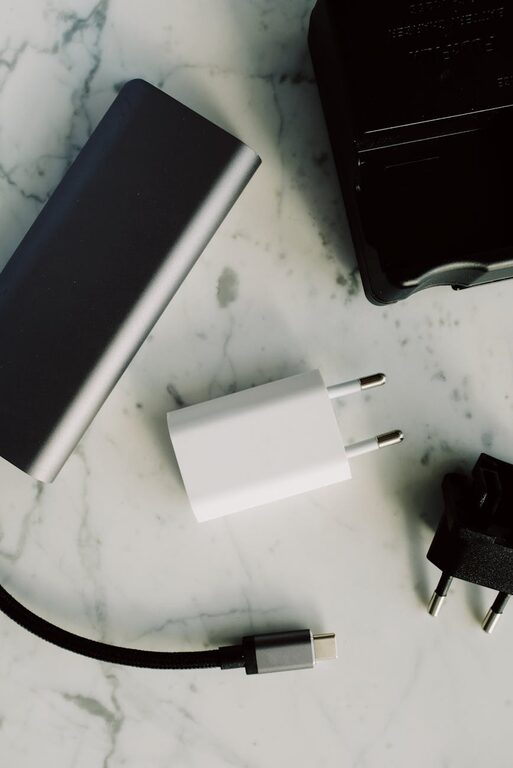
Setting up a charging station is a simple yet effective way to keep all your devices charged and organized in one place. Whether you have smartphones, tablets, wireless earbuds, or smartwatches, a designated charging area helps reduce clutter, prevents lost chargers, and makes powering up devices convenient. This guide will walk you through the steps to create a charging station tailored to your needs.
Why You Need a Charging Station
With multiple devices requiring frequent charging, it’s easy for cables and chargers to become tangled or misplaced. A charging station helps:
– Organize cables and devices neatly
– Save space by consolidating chargers in one spot
– Improve safety by reducing cable clutter that could cause trips or damage
– Make device charging hassle-free and streamlined
What You’ll Need to Get Started
Before setting up your station, gather the following:
– Multi-port USB charger or power strip: Allows charging several devices simultaneously without needing multiple adapters.
– Charging cables: Ensure you have cables compatible with your devices (USB-A, USB-C, Lightning).
– Charging organizer or dock: Optional but helpful to keep devices upright and separated.
– Power source: A wall outlet near your intended charging area.
– Cable management accessories: Clips, ties, sleeves, or cable boxes to keep cables tidy.
– Surface: A small table, shelf, or drawer dedicated to the station.
Step-by-Step Setup Guide
1. Choose the Right Location
Select a spot that’s convenient to access but out of the way enough to avoid clutter buildup. Common places include:
– A corner of your desk
– A bedside table
– Entryway console
– Kitchen counter
– Media console or TV stand
Make sure the area has a nearby power outlet.
2. Pick a Suitable Charger
A multi-port USB charger is the core of your station. Consider these features:
– Number of ports: Choose based on how many devices you typically charge.
– Charging speed: Look for fast charging options if your devices support it.
– Safety features: Overcurrent and short circuit protection keep devices safe.
If you prefer, a power strip with USB ports works well too.
3. Organize Charging Cables
Keep cables neat and accessible by using cable management tools:
– Cable clips attach to the side of a desk or table to hold cables in place.
– Velcro straps or twist ties bundle excess cable length.
– Cable sleeves group multiple cables together for a cleaner look.
– Cable boxes hide power strips and excess cords.
Label cables if needed, especially when charging similar-looking devices.
4. Select an Organizer or Dock
Device holders or charging docks prevent devices from sliding around. Options include:
– Wooden or plastic multi-device docking stations
– Vertical stands for smartphones and tablets
– Charging trays or boxes that cover devices while charging
Choose one that fits your style and the number of devices.
5. Arrange Your Devices
Place devices on the charging dock or station so that cables reach comfortably without straining. Keep high-use devices easily accessible.
6. Power Up and Test
Plug in the charger and connect your devices. Check that each one is charging properly and that cables aren’t tangled or strained.
7. Maintain Your Charging Station
Keep the area clean and periodically check cables for wear or damage. Remove unused devices to avoid clutter.
Tips for a Great Charging Station
– Use wireless chargers for compatible devices to reduce cables even more.
– Prioritize safety by avoiding overloading power outlets.
– Customize your station to fit your space with shelves, baskets, or decorative elements.
– Consider portability if you want to move your charging station between rooms.
Conclusion
With just a few simple steps, you can set up an efficient and organized charging station that keeps your devices powered and clutter-free. This small investment in time and equipment brings added convenience and helps extend the life of your chargers and cords. Start building your personalized charging station today and enjoy a tidier, more connected space!
—
Feel free to share your own charging station ideas or photos in the comments below!